

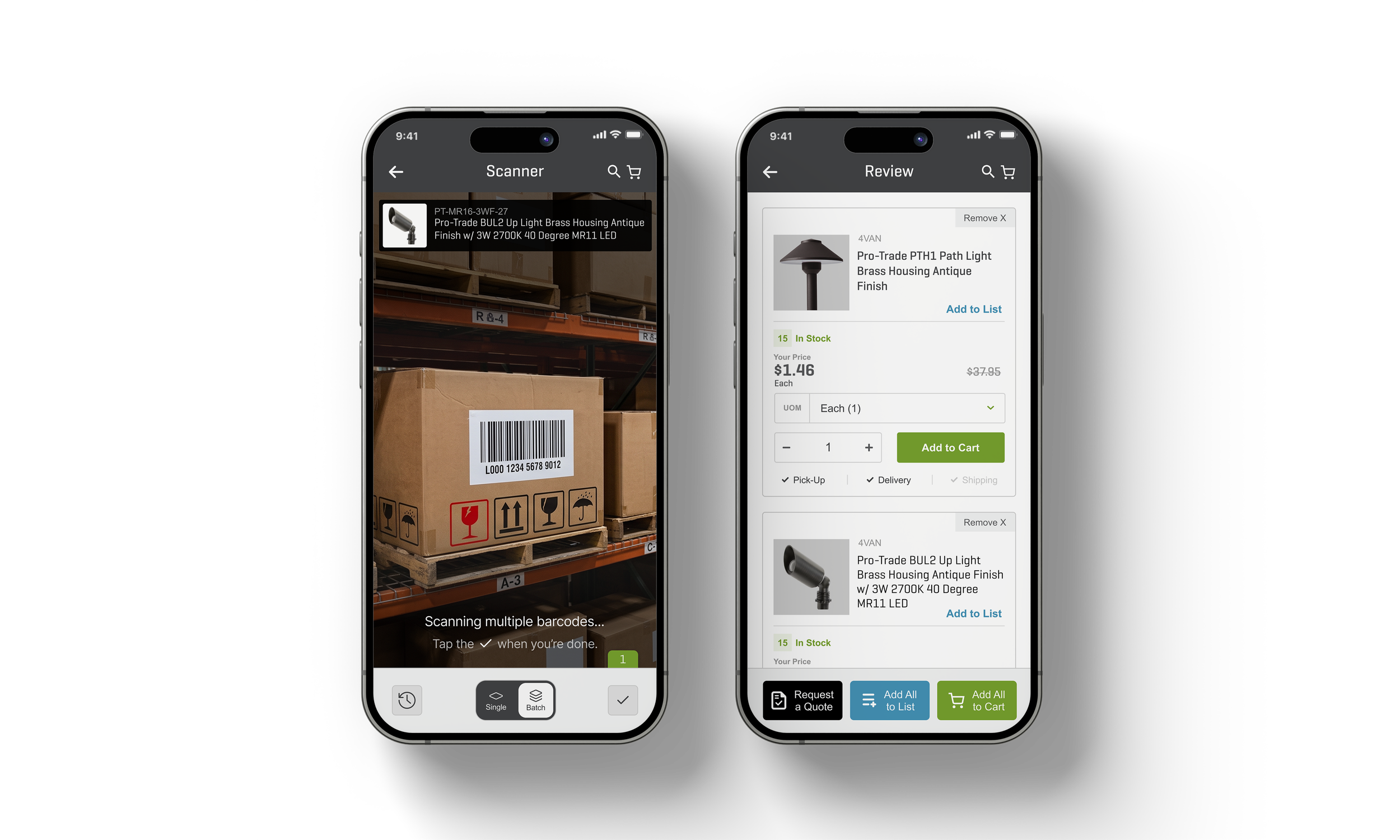
Multi-Scan
Barcode Scanner
The barcode scanner was a new feature that I designed from scratch, early on in my time at SiteOne. I iterated upon the original design multiple times over the course of the next three years.
Initially, the concept was simple: use your mobile’s camera to detect a barcode. Once a barcode was detected, the app would open the corresponding product’s PDP (product detail page). Over time, more features were added to the barcode scanner, and it became more complicated…
When a new request was made to add a “Scan to Quote” feature, it became clear to me that we had made this scanner much more complex than it needed to be, so I set out to simplify this workflow.
LEAD DESIGNER
NEW FEATURE
MOBILE APP
Figma
Figma Make
Maze
Heuristic Analysis
User Flows
Wireframing
Prototyping
Usability Testing
Evaluation of the Current State
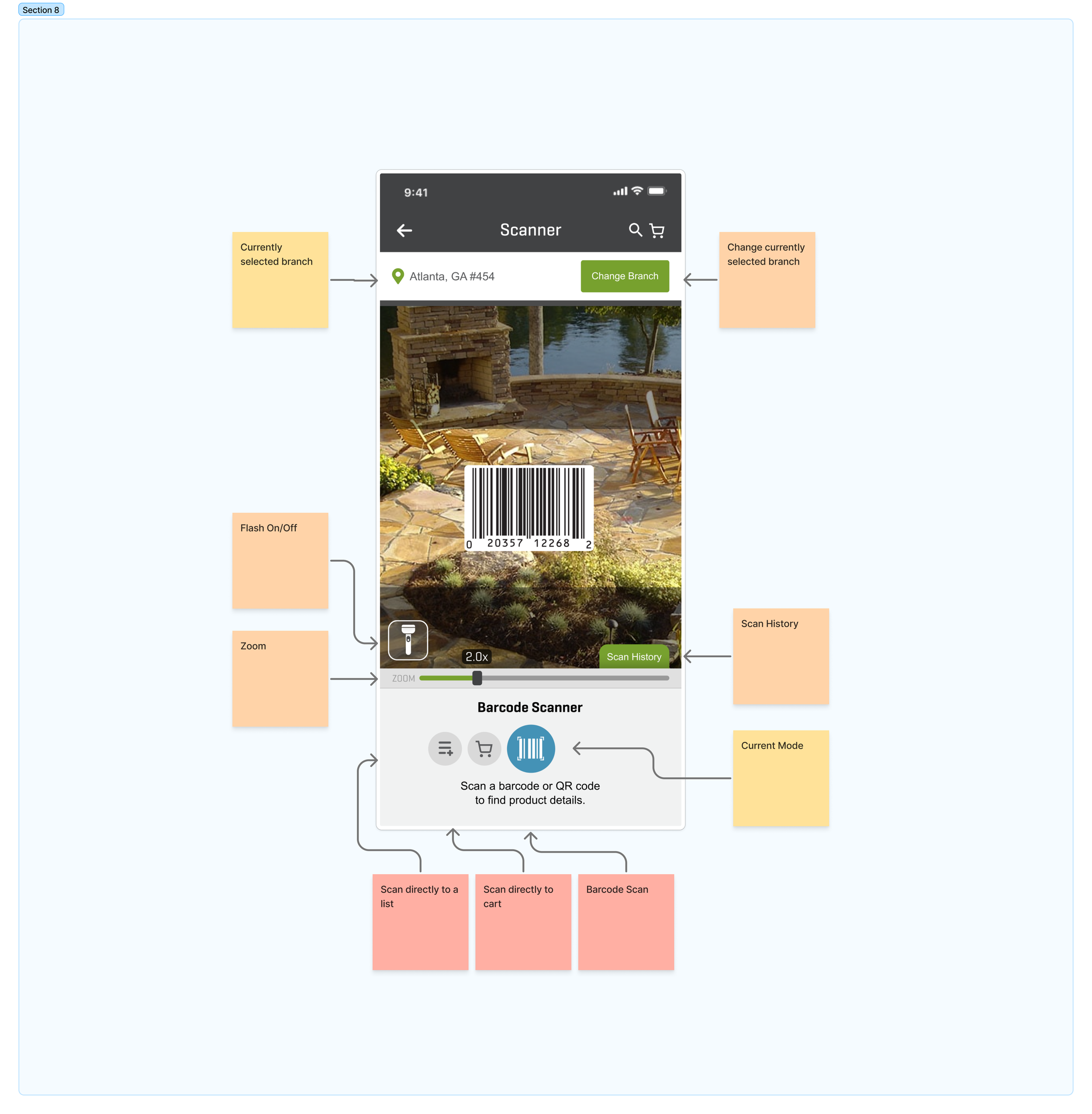
The Barcode Scanner’s Use
This tool has much more utility than just a simple barcode scanner.
Customers in the stores use the scanner to view their customer-specific prices.
Replenishing stock rooms or on-hand inventory. Customers will scan many items, one after another, to reorder products that they use frequently.
Quickly finding data sheets and user manuals for products customers have in their inventory or on a job site.
Current State Usability & UI Problems
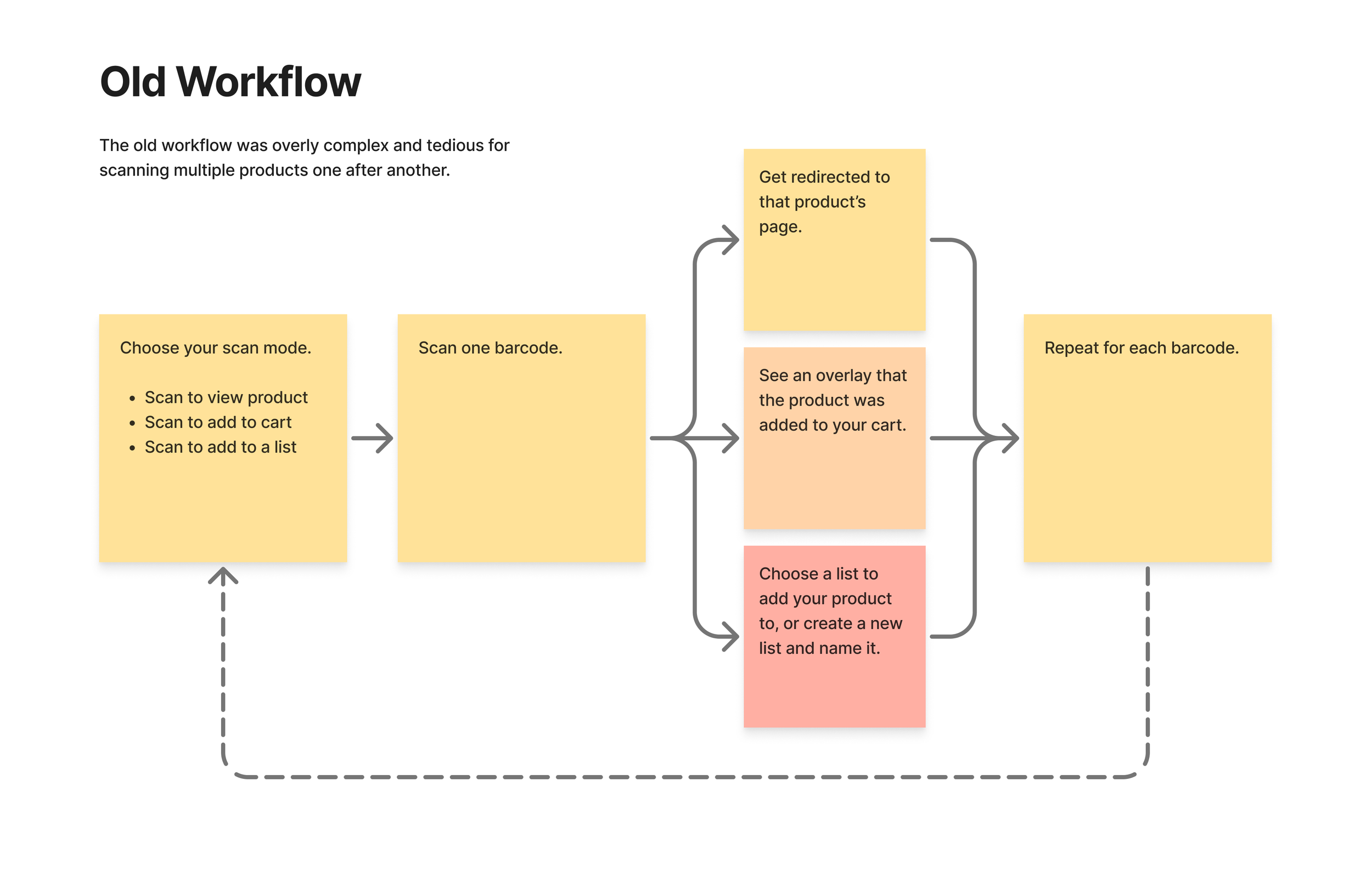
The current barcode scanner was a victim of “feature-itis”: more and more additional features were added over time, resulting in a crowded interface and slow workflow.
Multiple modes forced users to know their end goal before they scan.
The crowded interface was overwhelming for new users.
Scanning multiple products, one after another, was slow and tedious.
Features like a flash on/off switch, changing your branch, and zoom were just unnecessary.
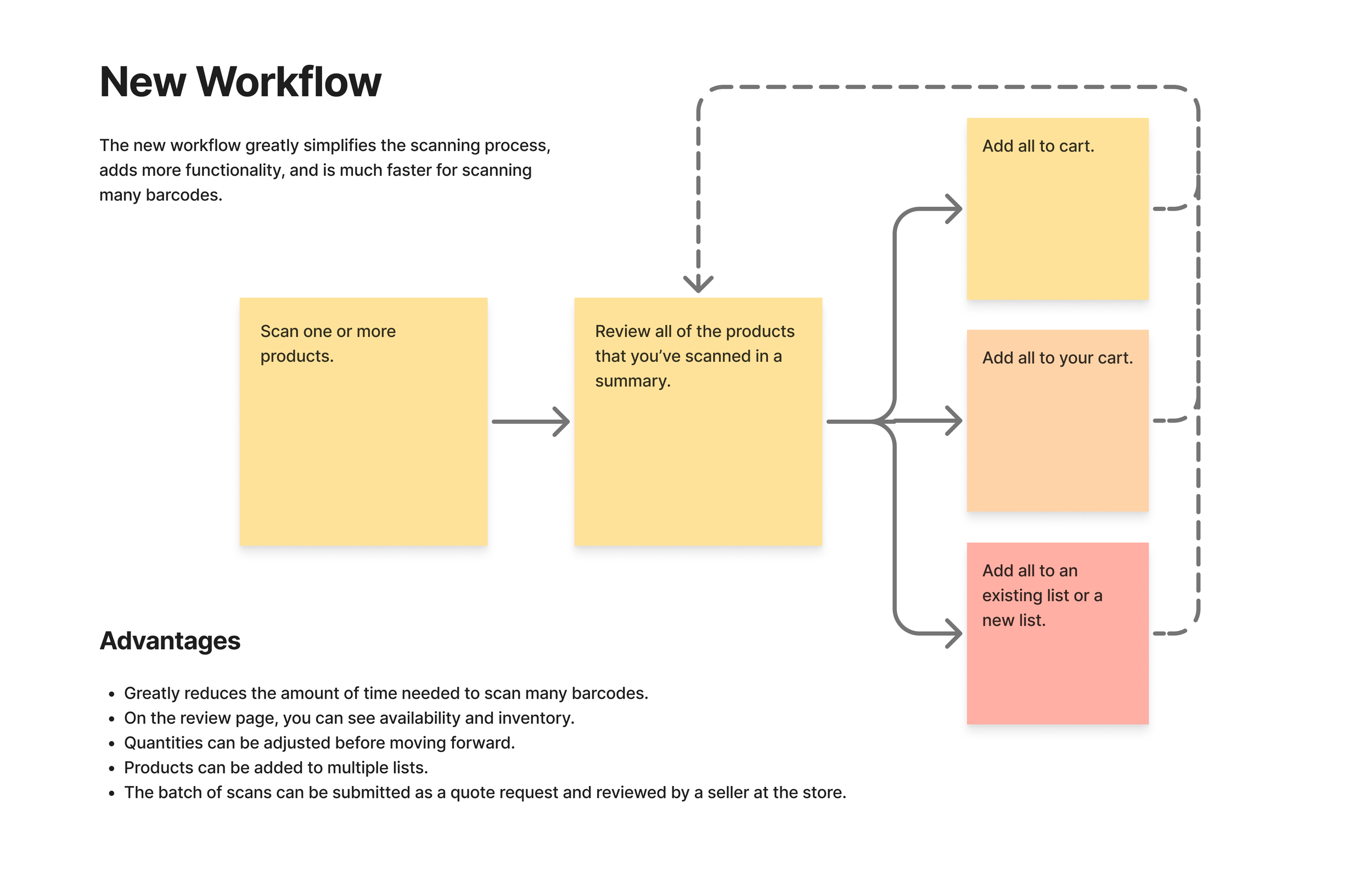
A New Workflow
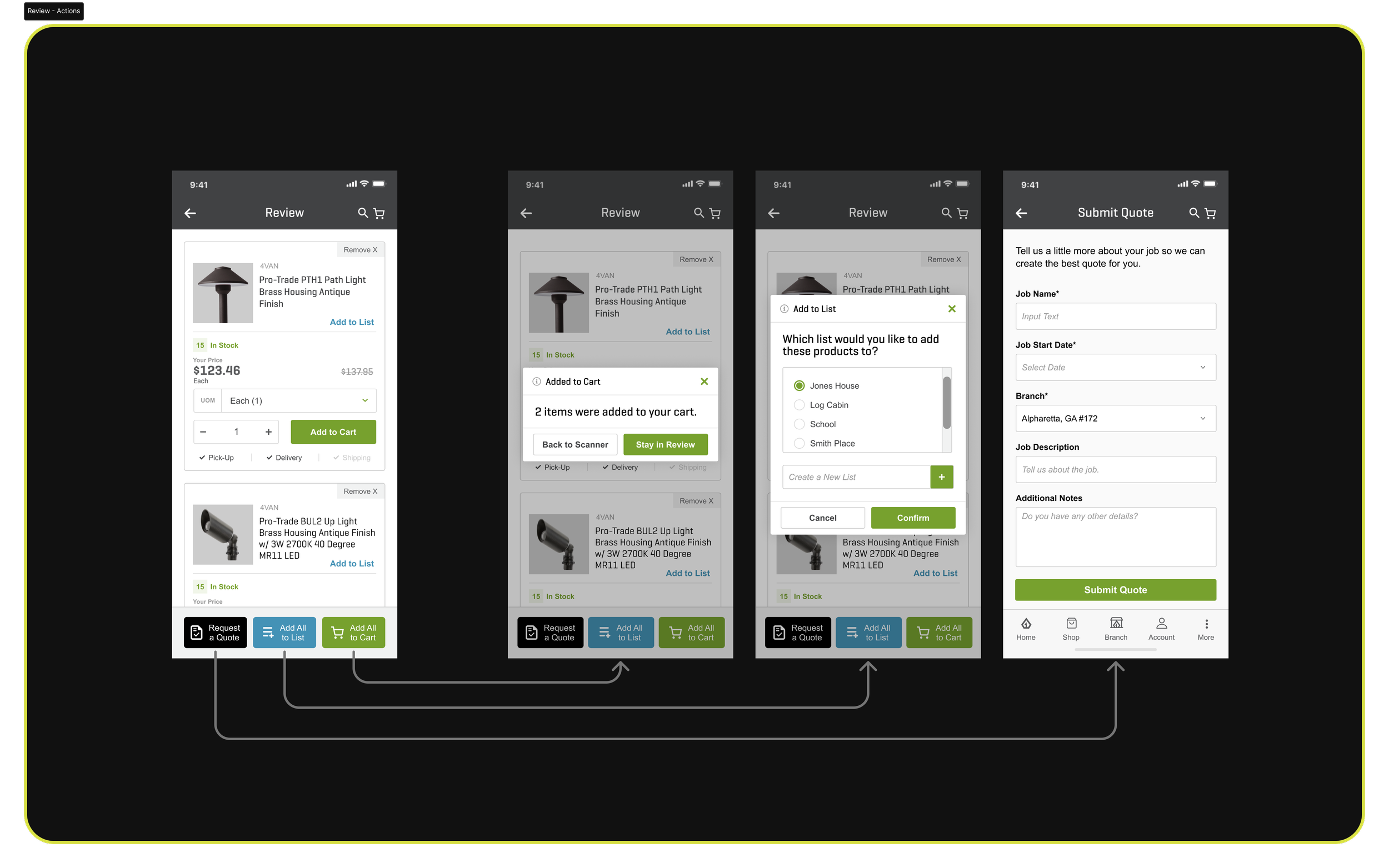
My goal was to streamline the interface, reduce the amount of time it takes to scan several barcodes, and add the additional function of requesting a quote.
Prototyping
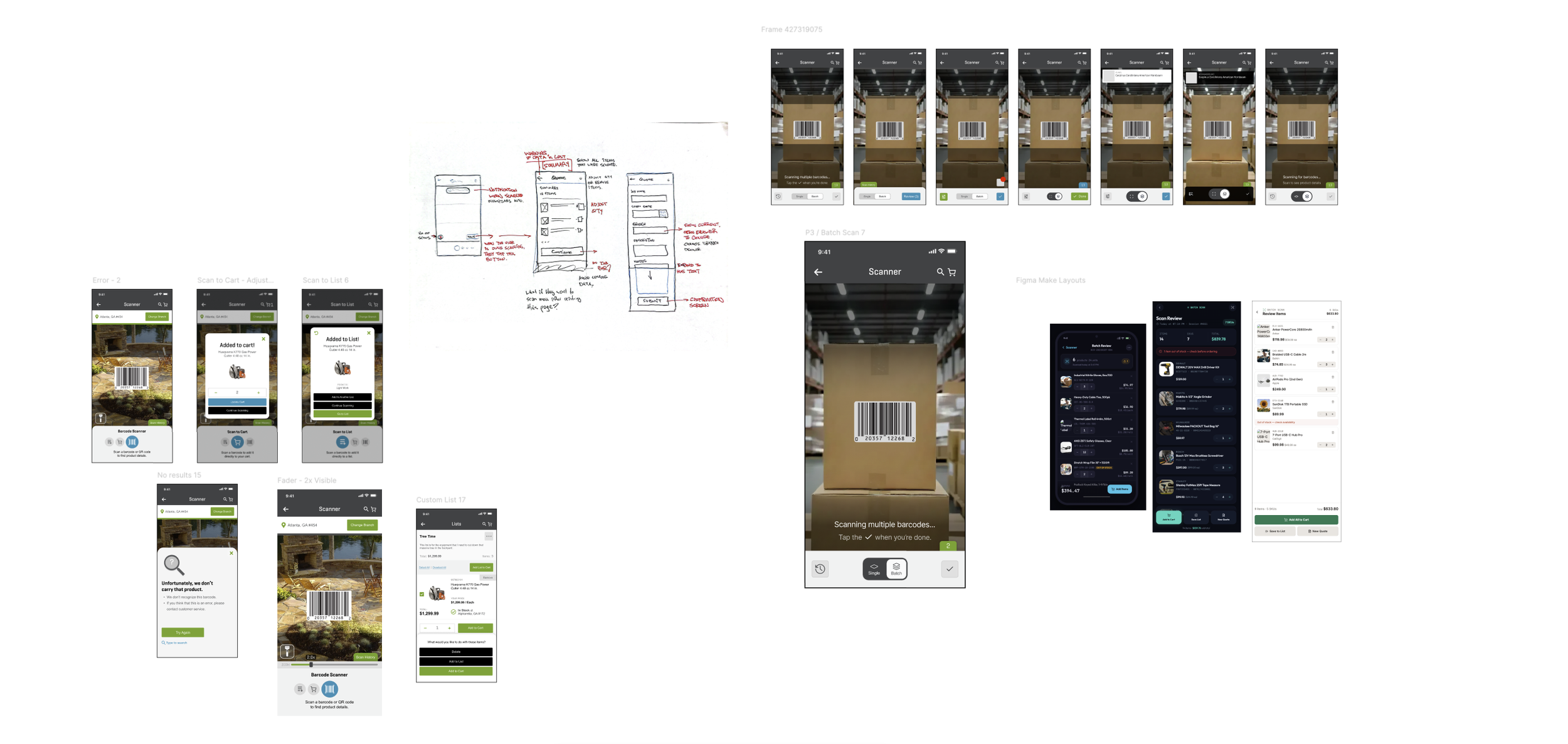
I usually start sketching wireframes for initial brainstorming. It’s the fastest and most natural way to start thinking about layouts and the function of my design.
Often, in between design states, I return to paper to test out a few quick ideas or or variations before prototyping in Figma.
I used Figma Make at several points in this project to test out different layouts and concepts without taking the time to wireframe each one manually.
I alternate between an AI tool and my own wireframing, combining the best parts of all wireframes and concepts into my working prototypes.
User Testing
I tested this design with B2B customers, CX specialists from our customer experience team, and branch associates.
Moderated Prototype Testing in person at our stores, using the Figma prototype app on a real mobile device.
Unmoderated Prototype Testing for online participants using Maze on desktop web.
Top Research Questions
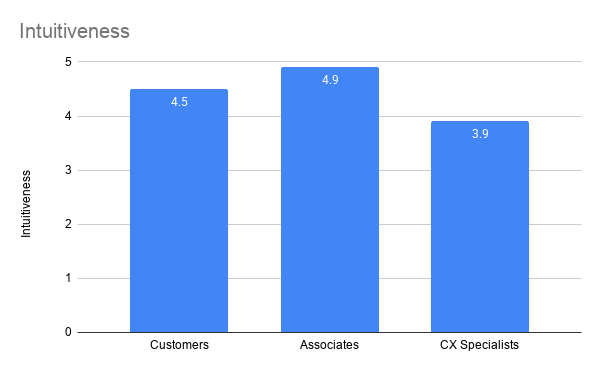
Is the multi-scan interface intuitive?
Can customers easily understand how to operate the batch scan feature?
Do customers see this design as an improvement to the current state?
“I like that you can scan multiple products. This would save a huge amount of time.
-Cory, Customer, Landscaper
“I think it’s genius! I love it! Can we get this in MobilePro?”'
-Wes, Branch Manager
“I really love that you can add all of them to the cart or list at once. Any reduction in clicking around is beneficial.”
-Henry, Customer, Irrigation Specialist
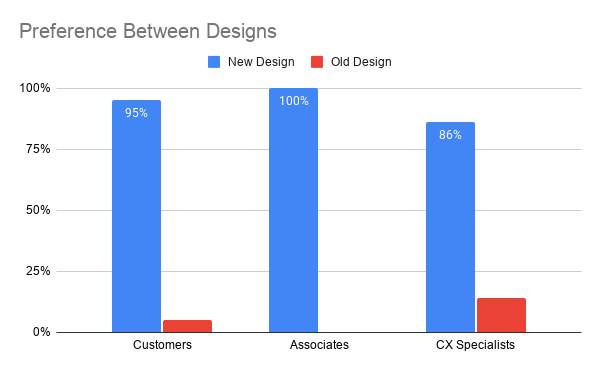
Feedback was overwhelmingly positive from customers and branch associates.
100% of associates preferred the new design over the old, and 95% of customers felt the same way.
CX expressed concern that customers who were used to using the old barcode scanner might find the transition to the new layout difficult.
Because of that feedback, I added a set of coaching screens that would be displayed the first time users opened the scanner after the change was implemented.
The Final Product
Next Steps
The overwhelming praise that this design received from branch associates opened the door to applying this batch scanning workflow to internal enterprise applications.
It was completely unexpected. The branch associates absolutely loved the new design and had the highest sentiment out of all the groups that we tested with. They requested that we explore this batch workflow in our enterprise applications, such as inventory list management, stock checks, and the MobilePro associate app.
After this experience, I made it a goal to work more closely with our associates in the stores and push for more improvements to our enterprise tools.