

Plant Spacing Calculator
Landscapers frequently need to estimate how many plants they need to purchase for landscaping projects, so this calculator was crucial for a B2B landscape supply business.
I created something special: a unique, visual calculator tied directly to adding calculated products to the cart.
ROLE
Lead Designer for Product POD
OBJECTIVE
Create an effective, intuitive calculator that determines the number of plants needed to fill an area of a landscape.
LEAD DESIGNER
NEW FEATURE
DESKTOP WEB
MOBILE WEB
MOBPLE APP
Figma
Maze
Wireframing
Prototyping
Math
Competitor Analysis
I started out by researching other spacing calculators and similar tools. Most of the calculators I found left much to be desired.
Most calculators were unintuitive and used a “fill in two fields to calculate the third” approach, which requires some explanation to get started using.
It was very surprising how low-quality the top search results were. The fourth result was made in 2002.
Calculators that provided visual aids were easier to understand.
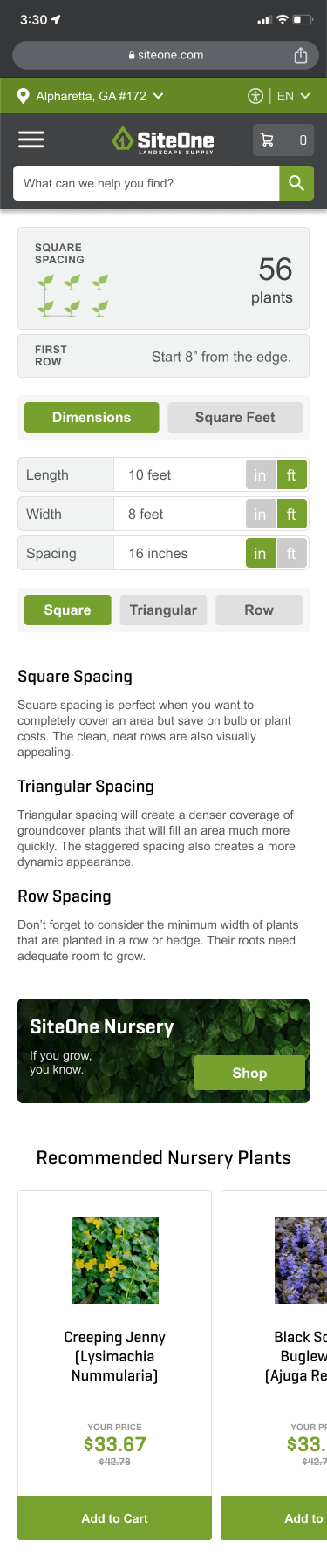
MVP: Project Calculator
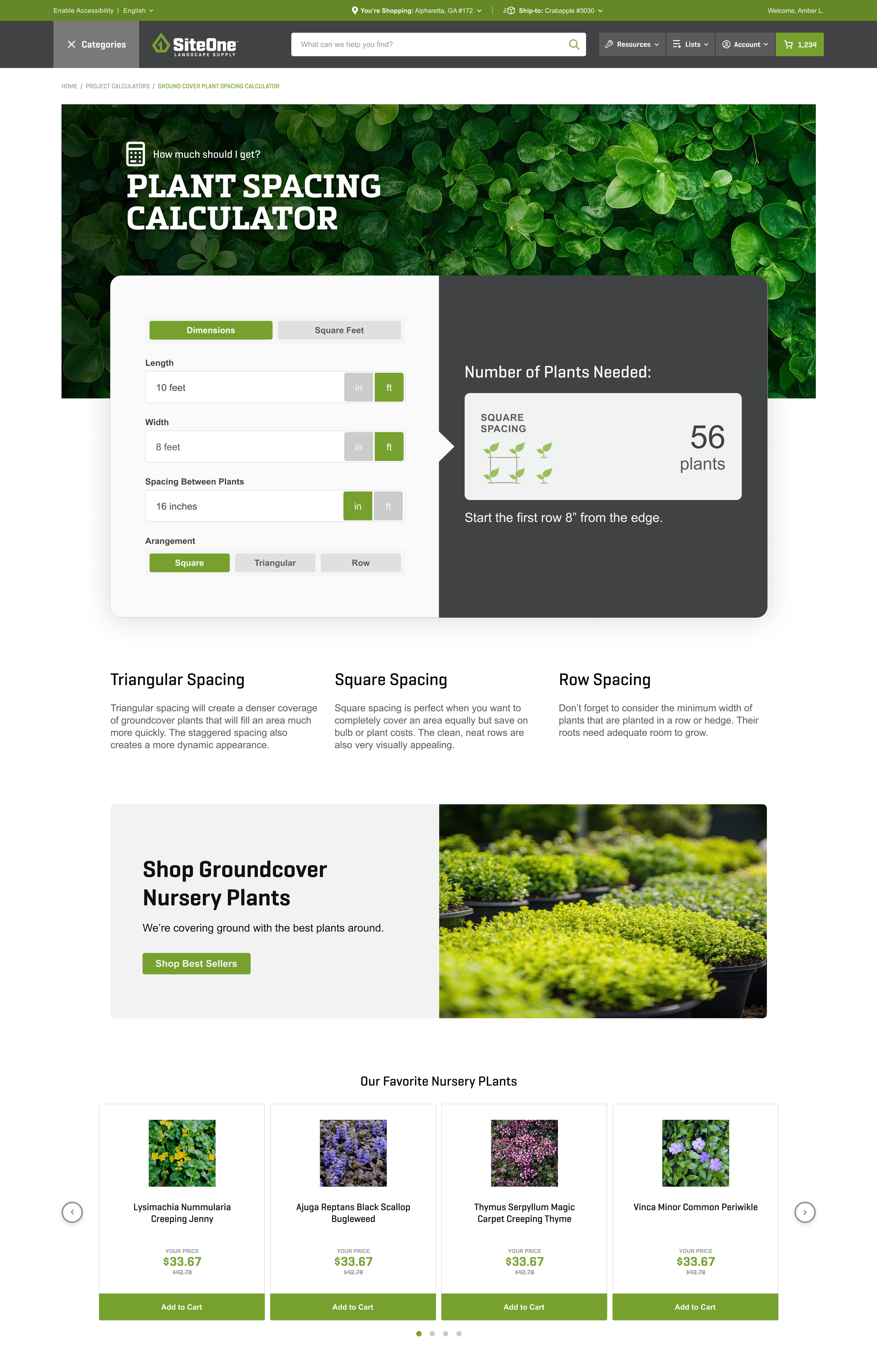
The first installment of this project launched as a project calculator on its own page.
This calculator was developed from the existing calculator components that I made for our design library, and this calculator follows the same format as the other project calculators.
This calculator has a clear pathway where you select what options you need to see one clear result.
Calculate the number of plants needed to fill an area with either a square, triangular, or row arrangement.
Use dimensions of your landscape or square footage.
Shows where to start your first row for the correct pattern and border.
Changing your inputs changes the total automatically, so it’s very fast and easy to see the impact of your modifications.
For our developers and QA, I created a spreadsheet to verify that the math used in our test environment was correct.
This spreadsheet calculates exact values and explains the process for all five formulas used in this project.
Yellow fields are inputs.
Green fields are outputs.
The gray text provides context.
I validated this design with specialists from our landscape, operations, field, and customer experience.
Feedback overall was very high, with the greatest praise coming from the landscape category and field.
This tool will be used extensively by branch associates.
Field and Operations both pushed for greater visibility of this tool and other project calculators.
“This is the most useful calculator that SiteOne has ever made.”
-Wes, Branch Manager
"Customers call me quite a bit wanting to know how many plants they will need for a certain size space. It will be great for associates to tell their customers right then and there."
-Randy, Branch Associate
Calculator on the Product Detail Page
Now that our MVP had launched, the next step was to create a version of this calculator that could be accessed directly from a nursery product’s page.
This would allow customers to calculate how much they need and then add that amount directly to their cart.
This PDP calculator would inherently be much more visible and useful to the customer, as well as the business, simultaneously increasing sales and confidence in estimates of materials required for a job.
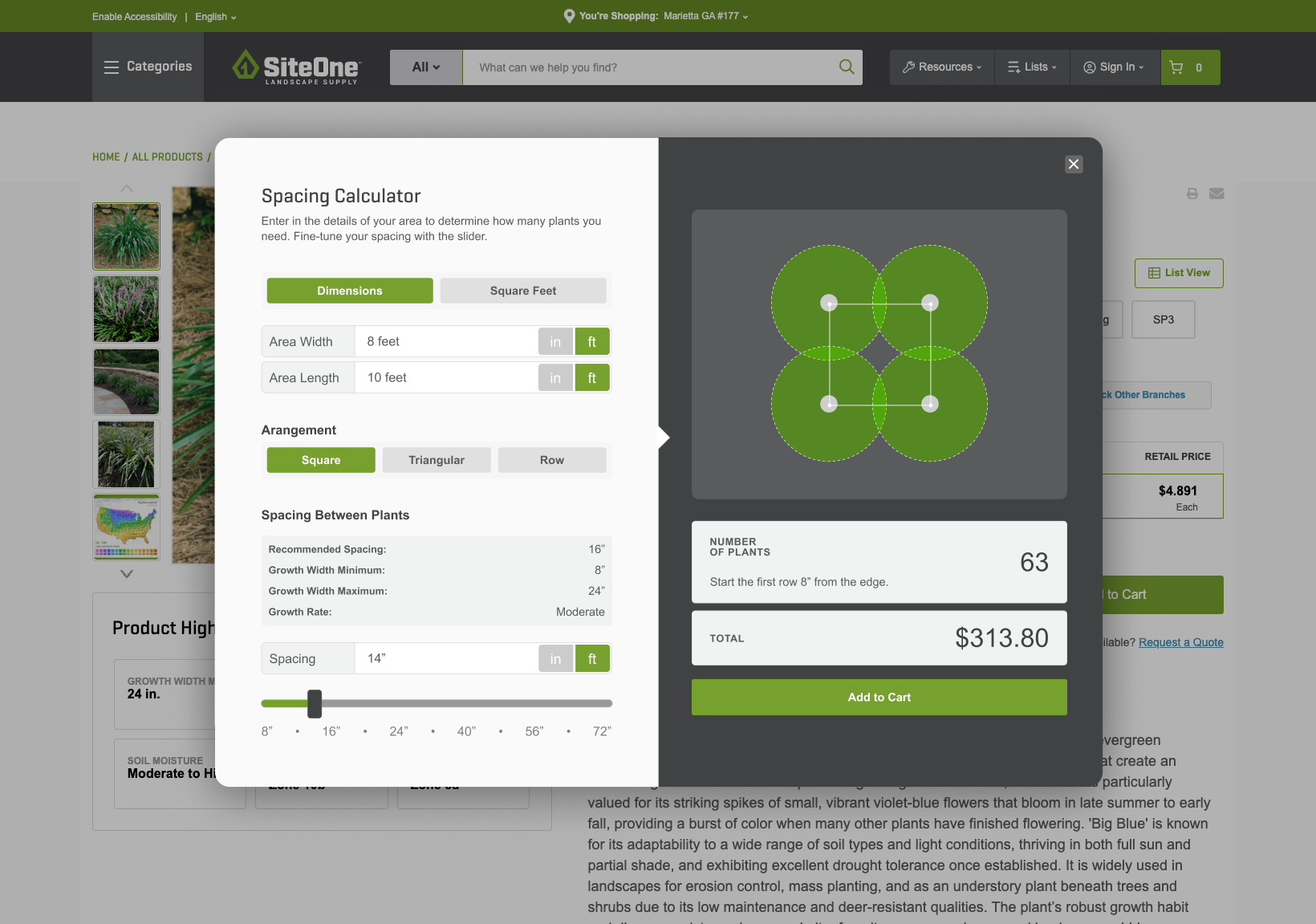
While I was working on the MVP, I had an idea to add a slider, so that users could adjust the spacing and see its effect on the number of plants needed in real time.
I took it one step further and added a visualizer that would accurately show the plants’ estimated growth width and the spacing that they selected.
From there, I connected the calculator to the individual product and its price.
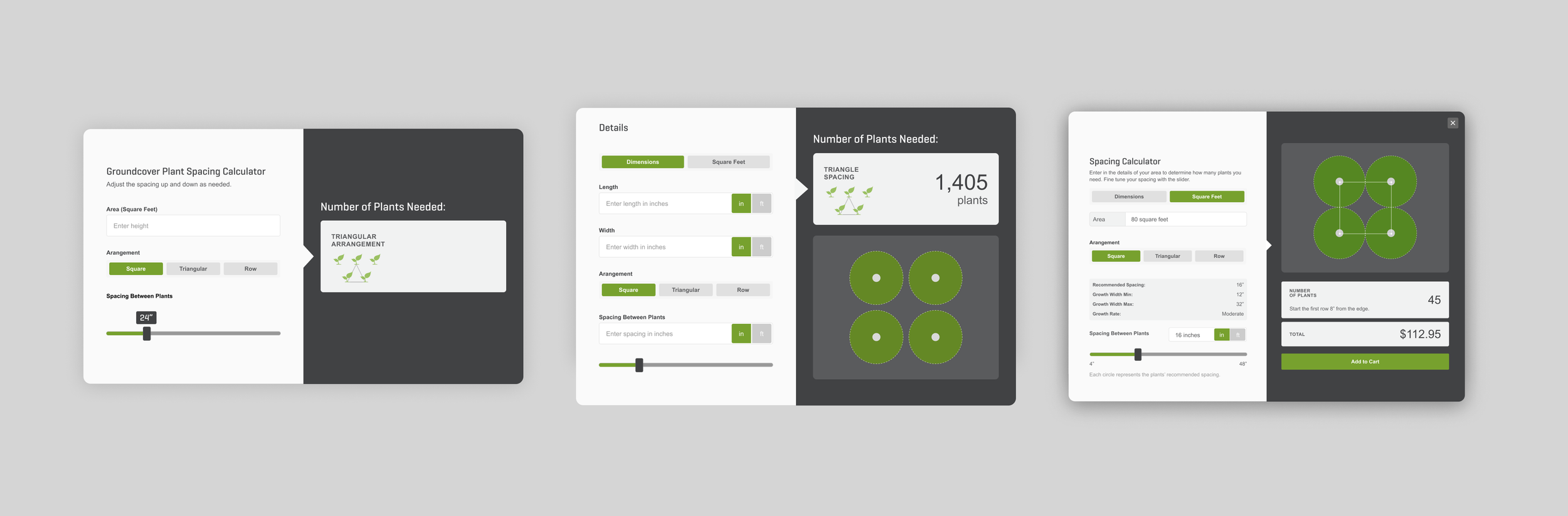
Every SiteOne nursery product has specifications for the plant’s growth width maximum, minimum, and recommended spacing.
I took full advantage of that.
The concept is that a landscaper can adjust the spacing in their layout and immediately see the impact of that change in the number of plants they need and what it will cost them.
Fine-tune your landscape with the slider.